If you want to build a desktop app with web technology, you’ll end up choosing between Electron and Tauri. Both let you write the interface in HTML, CSS, and JavaScript, with React, Svelte, Vue, or whatever you already use. The difference is everything underneath it.
I’ve built and shipped desktop apps with both. Here are the differences that actually mattered, and how I’d decide today.
The one-line version
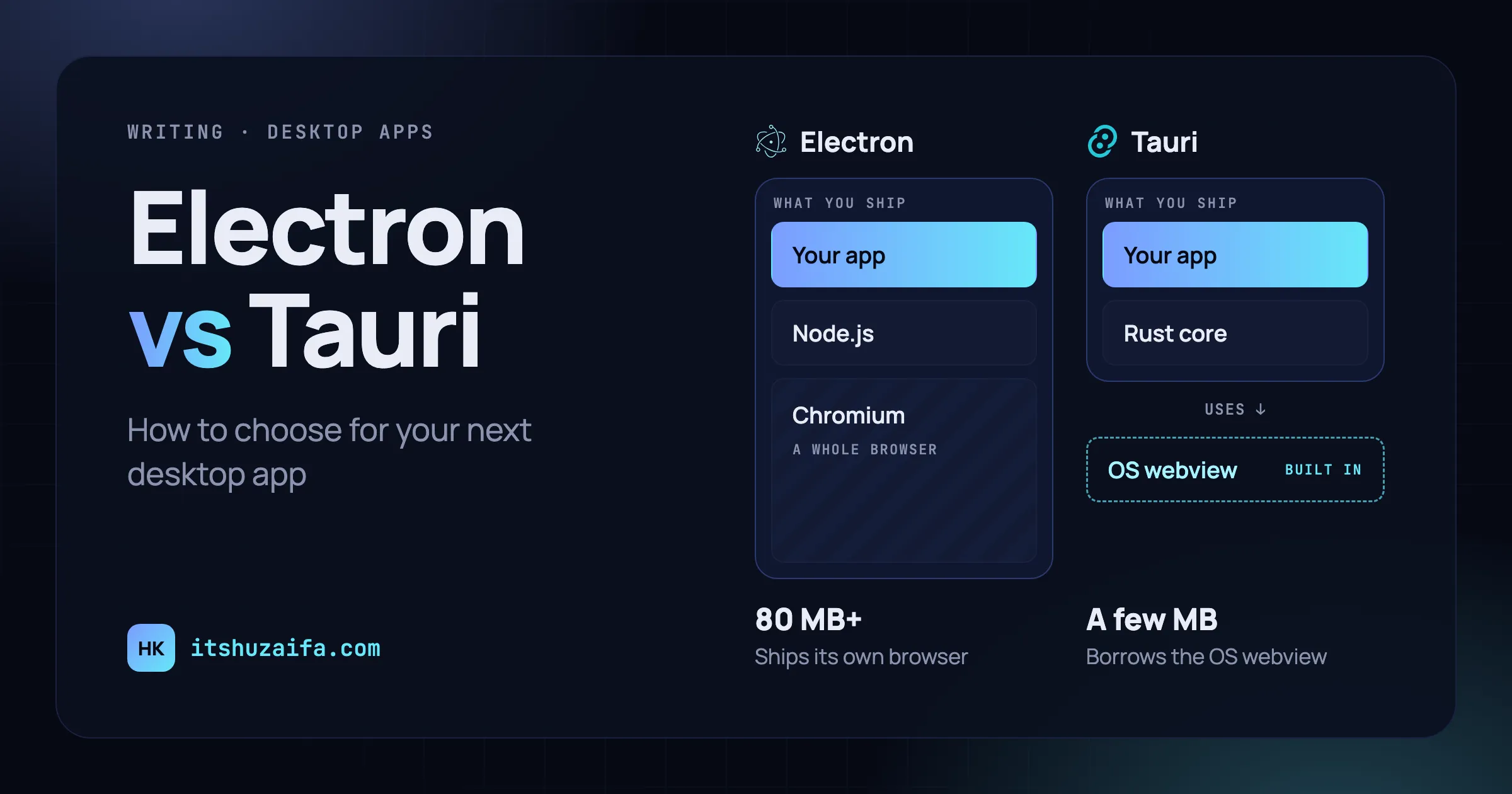
Electron ships a browser with your app. Tauri borrows the one the operating system already has.
An Electron app bundles its own copy of Chromium to draw the interface, and Node.js to run the backend. A Tauri app uses the system webview (WebView2 on Windows, WebKit on macOS and Linux) and runs its backend in Rust, compiled into one small native binary.
Almost every other difference follows from that.
At a glance
| Electron | Tauri | |
|---|---|---|
| Renders with | Its own bundled Chromium | The OS webview |
| Backend language | JavaScript or TypeScript (Node.js) | Rust |
| Minimal app size | Around 80 MB or more | A few MB |
| Same rendering on every OS | Yes | Mostly; test each webview |
| Access to the OS | Node.js APIs, C++ native addons | Rust crates, OS APIs directly |
| Security model | Open, then you restrict it | Closed, then you grant permissions |
| Mobile apps | No | iOS and Android (Tauri 2) |
| Maturity | Since 2013, huge ecosystem | Stable since 2022, growing fast |
1. App size
This is the difference people notice first. Every Electron app carries Chromium and Node.js, so even a “hello world” lands around 80 MB or more once packaged, and updates can mean downloading much of that again.
A Tauri app ships only your code and a Rust binary. A minimal app can be a few megabytes, and real apps usually stay in the tens of megabytes, not the hundreds. When I moved an app from Electron to Tauri, the installer shrank to a fraction of its old size, with the same features.
If your users download the app over slow connections, or an IT team has to push it to hundreds of machines, size stops being a vanity metric.
2. Memory and startup
Each Electron app runs its own Chromium: a main process, renderer processes, and a GPU process. That’s why a handful of Electron apps open at once can take a surprising amount of RAM.
Tauri apps are usually lighter and quicker to start, because there’s no Node.js runtime and the webview is part of the OS. One caveat: on Windows, WebView2 is Chromium under the hood, so the savings there are smaller than the installer size suggests. Measure on the platforms your users actually have.
For an app that stays open all day, like a tracker, a chat client, or a menu bar utility, this matters far more than for something people open once a week.
3. The backend language: Node.js vs Rust
This is the real decision, more than size.
In Electron, the backend (the main process) is Node.js. Your whole team can work in TypeScript, and the entire npm ecosystem is available. The interface talks to the backend over IPC, through a preload script that decides what the page is allowed to call:
// main.js
ipcMain.handle('greet', (_event, name) => `Hello, ${name}!`);

// preload.js
contextBridge.exposeInMainWorld('api', {
  greet: (name) => ipcRenderer.invoke('greet', name),
});

// In the page
const message = await window.api.greet('Ada');
In Tauri, the backend is Rust. You write a function, mark it as a command, and call it from the frontend:
// src-tauri/src/lib.rs
#[tauri::command]
fn greet(name: &str) -> String {
    format!("Hello, {name}!")
}

pub fn run() {
    tauri::Builder::default()
        .invoke_handler(tauri::generate_handler![greet])
        .run(tauri::generate_context!())
        .expect("error while running tauri application");
}
// In the page
import { invoke } from '@tauri-apps/api/core';
const message = await invoke('greet', { name: 'Ada' });The shape is almost the same. The cost is the language. If nobody on the team knows Rust, the first few weeks will be slower, and the borrow checker takes some getting used to. Tauri’s official plugins cover a lot without writing any Rust (files, dialogs, notifications, HTTP, the auto-updater), so you can start mostly in JavaScript and drop into Rust only when you need to.
4. Talking to the operating system
Sooner or later, a desktop app needs something the web platform doesn’t offer: reading the active window, talking to hardware, or calling a system API.
In Electron, if Node.js can’t do it, you need a native addon, usually written in C++. That means a second language, a build step through node-gyp, and rebuilding the addon for every Electron version, because it has to match the Node.js inside Electron. Even common packages, like a SQLite driver, have to be rebuilt this way.
In Tauri, that code is just Rust. It lives in the same codebase as the rest of your backend, compiles with it, and can call OS APIs directly through crates like windows on Windows or objc2 on macOS. When I made this switch, the separate C++ pieces disappeared. The OS integration became ordinary Rust functions inside the app.
5. Security defaults
Electron’s defaults are much better than they used to be: context isolation and the renderer sandbox are on, and Node.js is off in the page. But the model is still “open, then restrict”. Your preload script decides what the page can reach, and it’s easy to expose more than you meant to, like a handler that runs whatever command it’s given.
Tauri starts closed. The frontend can’t touch the file system, the shell, or the network on its own, and each plugin permission has to be granted in a capabilities file, per window:
{
  "identifier": "main",
  "windows": ["main"],
  "permissions": ["core:default", "dialog:allow-open"]
}
There’s also no Node.js runtime inside the app, which removes a whole class of problems. If your app handles sensitive data, Tauri makes the secure path the default one.
6. The trade-off nobody mentions: three different browsers
Electron’s biggest advantage is the flip side of its size: your app renders in exactly the same Chromium on Windows, macOS, and Linux. What you test is what everyone gets.
Tauri renders with whatever the OS provides: WebView2 (Chromium) on Windows, Safari’s WebKit on macOS, and WebKitGTK on Linux. Most modern CSS and JavaScript works everywhere, but you will hit differences: a CSS feature WebKit doesn’t support yet, a media or WebRTC API that behaves differently, or fonts that render slightly off. On Linux, the WebKitGTK version also depends on the user’s distribution.
In practice, that means testing on all three platforms, ideally in CI, instead of developing in Chrome and hoping for the best. If your app leans on cutting-edge browser APIs, Electron will save you real headaches.
7. Tooling and ecosystem
Electron has been around since 2013 and powers VS Code, Slack, Discord, and many more. Almost every problem you’ll hit has already been answered somewhere, and packaging, auto-updates, and code signing all have well-worn tools.
Tauri is younger (1.0 in 2022, 2.0 in 2024) but moving fast, and its official plugins and docs are good. Expect a few more figure-it-out-yourself moments, plus Rust build times: the first build is slow, and later builds are incremental and much quicker.
Either way, you’ll want code signing on macOS and Windows so users don’t click through scary warnings, and a CI pipeline that builds on each OS.
Bonus: mobile
Tauri 2 can also build iOS and Android apps from the same project. It won’t replace a fully native mobile app, but if you want one codebase across desktop and mobile, Electron doesn’t go there at all.
How I’d choose
Pick Electron if:
- Your team works in JavaScript or TypeScript and doesn’t want to take on Rust right now
- You need identical rendering on every OS, or depend on Chromium-specific APIs
- You rely on npm packages that need Node.js at runtime
- Shipping quickly matters more than install size
Pick Tauri if:
- Size and memory matter: the app runs all day, or gets installed on many machines
- You need deep OS integration and would rather write Rust than C++ addons
- Security is a priority and you want permissions locked down by default
- You might want mobile apps from the same codebase later
For a new app where size, memory, or security matter, I’d start with Tauri today. Its costs, mainly learning Rust and testing across webviews, are paid once by the team. Electron’s size and memory cost is paid by every user, on every machine. But if your team lives in TypeScript and needs to ship next month, Electron is still a perfectly good choice.
Weighing the two for a project? Email me and I’m happy to talk it through.